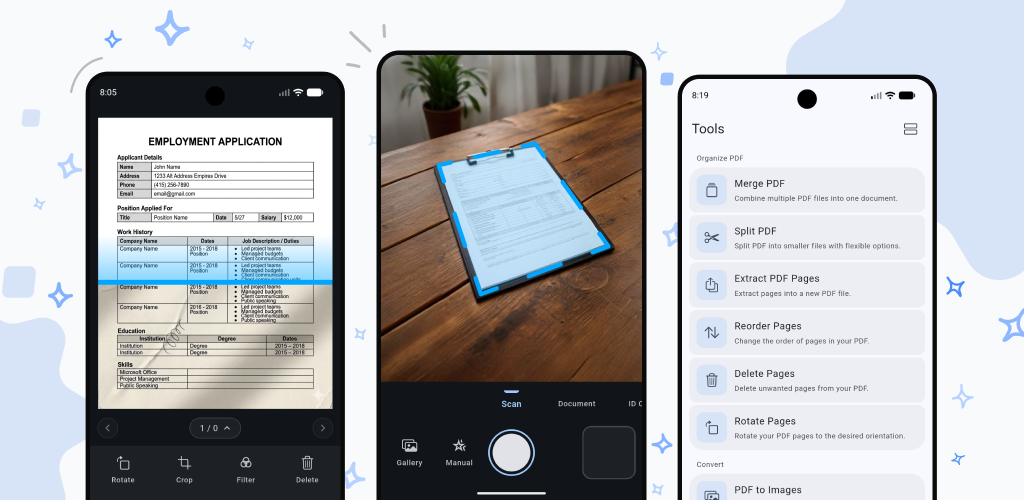

 We have all been there: you finish scanning a crucial document, tax form, or textbook chapter, only to find out it is far too large to send. You try to attach it to an email, and—bam—you hit that dreaded file size limit error.
Splitting a massive PDF shouldn't require complex desktop software or uploading sensitive files to sketchy online web converters. That is why we built the Split PDF Tool directly into DocKit—designed to give you granular control entirely offline, keeping your privacy intact.
Whether you need to extract a single receipt or break down a heavy document for email attachments, DocKit handles it with four flexible splitting modes.
The Four Flexible Splitting Modes
DocKit gives you precise control over how you divide your documents, letting you choose the exact method that fits your workflow:
1. Split by Size (The Ultimate Email Saver)
If you deal with strict email attachment limits (like Gmail's 25MB threshold), this feature will become your best friend. Instead of guessing how many pages fit into a certain size, Split by Size lets you define your target maximum file size (e.g., 15MB or 20MB). DocKit automatically calculates and chunks your document into optimal segments, ensuring every single file stays safely under your limit so you can hit send without a second thought.
2. Split by Range
Got a 150-page research paper or contract, but only need chapters 3 through 5? With Split by Range, you can specify exact start and end pages (for example, pages 45 to 72) and export only that precise chunk into a brand new, clean PDF document instantly.
3. Split All (Page-by-Page)
For maximum flexibility when reorganizing or sharing individual pages, the Split All option explodes a multi-page document into individual, single-page PDFs. With a single tap, every page of your scan becomes its own independent file, ready to be renamed, sorted, or shared separately.
4. Custom Split Points
For complete manual control, the custom splitting mode lets you drop markers wherever you choose throughout the document outline. Visually divide your document on the fly exactly where you need the breaks to happen.
Secure, Fast, and Completely Offline
Like everything else in DocKit, processing happens locally on your device. Your financial records, contracts, and personal notes never touch a cloud server.
Ready to make managing your documents friction-free? Update to the latest version of DocKit and try out the Split tool today!